WEB DEVELOPING 101: CSS & HTML
"Simplicity is the Highest form of sophistication."

- Steve Jobs 1955 - 2011
CSS and HTML
CSS: Cascading Style Sheets allows the user to have far more greater control in the physical attributes within HTML. It includes elements such as the layout, colour and fonts. It allows Web Designers to define the appearance of their webpage, and therefore make it more user friendly and appealing to their audience.
Below I have embedded a video from YouTube which gives a good insight into using CSS for beginners.
Here is just a few of the many things that can be done using CSS:
1. Forms and Form elements: Make a datasheet-style web form from using CSS in order to take details.


HTML:
HyperText Markup Language (HTML) is the main markup language for displaying web pages and other information that can be displayed in a web browser.
HTML is written in the form of HTML elements consisting of tags.
In between these tags web designers can add text, tags, comments and other types of text-based content.
The purpose of a web browser is to read HTML documents and compose them into visible or audible web pages. The browser does not display the HTML tags, but uses the tags to interpret the content of the page.
HTML elements form the building blocks of all websites. HTML allows images and objects to be embedded and can be used to create interactive forms.
Web browsers can also refer to Cascading Style Sheets (CSS) to define the appearance and layout of text and other material. The W3C, maintainer of both the HTML and the CSS standards, encourages the use of CSS over explicit presentational HTML markup.


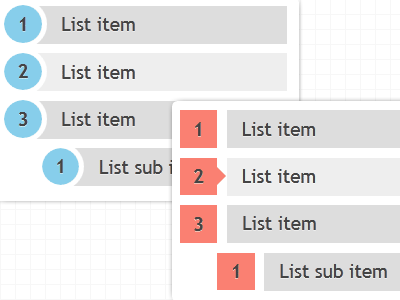
2. Ordered Lists: Through CSS, we are able to create ordered lists, which helps the user to find what they are looking for so much quicker.
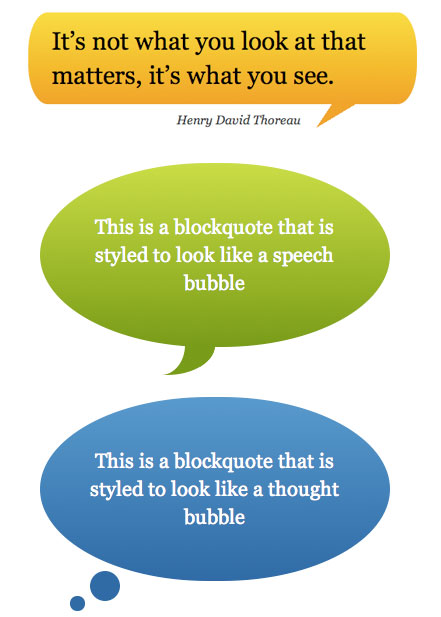
3. Customized bubbles: We are also able to write are text in speech bubbles to give the user reading the webpage the effect that an actual conversation is taking place.
CSS was introduced together with HTML 4, to provide a better way to style HTML elements.
CSS can be added to HTML in the following ways:
However, if you need any help using CSS, simply follow the link below:
http://www.w3schools.com/css/default.asp
CSS can be added to HTML in the following ways:
- Inline - using the style attribute in HTML elements
- Internal - using the <style> element in the <head> section
- External - using an external CSS file
However, if you need any help using CSS, simply follow the link below:
http://www.w3schools.com/css/default.asp

HTML:
HyperText Markup Language (HTML) is the main markup language for displaying web pages and other information that can be displayed in a web browser.
HTML is written in the form of HTML elements consisting of tags.
In between these tags web designers can add text, tags, comments and other types of text-based content.
The purpose of a web browser is to read HTML documents and compose them into visible or audible web pages. The browser does not display the HTML tags, but uses the tags to interpret the content of the page.
HTML elements form the building blocks of all websites. HTML allows images and objects to be embedded and can be used to create interactive forms.
Web browsers can also refer to Cascading Style Sheets (CSS) to define the appearance and layout of text and other material. The W3C, maintainer of both the HTML and the CSS standards, encourages the use of CSS over explicit presentational HTML markup.

Hope you enjoyed my blog!!

No comments:
Post a Comment